Uncork press kit
Updated 5 October 2026 · Uncork 1.0
Uncork is a Mac app for Apple Silicon: it runs Windows games from Steam and the Epic Games Store through a compatibility layer for free, and the paid Uncork Pro (€19 once) reads the mouse straight from the device and evens out frames. This page collects what you can quote: every number comes with its date and hardware, and what we have not measured is named as such.
In short
- What it is. A Mac app for Apple Silicon (M1 or later, macOS 14 or later). The free core runs Windows games from Steam and the Epic Games Store through a compatibility layer, with no account and no payment; only Uncork Pro is paid, €19 once. It does not run on Intel Macs.
- How it works. It neither emulates nor virtualises Windows: it translates Windows calls into macOS calls and DirectX graphics into Metal. There are two graphics layers, D3DMetal and DXMT, switchable per bottle (a separate environment for Windows games).
- Version. 1.0 — the release with the free core and Uncork Pro (October 2026). Every version with its date is in the changelog.
- Who makes it. One person's private project, not a company. The terms are governed by Swiss law.
- What sets it apart. The mouse is read straight from the device: we found nothing like it in the apps we checked. Also, single-player frames are evened out.
- What open-source alternatives have and Uncork lacks. Open source and a public compatibility database; the Uncork core is free too. A comparison checked on 1 October 2026 is on the Compare page.
What it does
- Mouse from the device (Pro). Uncork's display driver reads the mouse at the mouse's own rate, up to 1000 Hz, and only while the game hides the cursor over its window. It needs the Input Monitoring permission; without it the driver behaves like the standard one. Per its source code it requests only mouse and pointer devices and takes only X/Y motion; the keyboard is not connected to this channel.
- Key auto-repeat. While the cursor is hidden, that is, in the game itself, Uncork turns off macOS key auto-repeat and restores it when the cursor reappears. Holding a key no longer makes the picture judder in CS2, and chat and console typing still work.
- Even frames (Pro, since 0.14.0). Frames reach the screen at even intervals on the display's grid (120/80/60); Auto mode holds frames only when that is smoother. It is meant for single-player games: racing, action, open worlds. In competitive shooters it is better turned off, because every frame matters there, and it costs frames (118 → 80).
- Game Mode (since 0.13.0). Each game launches from its own small app in the Games category, so macOS turns on Game Mode for it as it does for App Store games. It needs Names in the Dock turned on.
- Controller mode (since 0.13.0). A DualSense, DualShock 4 or Xbox controller drives the Mac's pointer while no game is running: you can pick a game and start it from the couch. The mode goes quiet during a game. It needs the Accessibility permission.
- Overlay panel (Pro, since 0.15.0). Frames per second, the share of even frames, latency to the screen and the rate at which Uncork reads the mouse. When a drop is not the game's fault, the panel says so: Low Power Mode is on or the Mac is overheating. It is turned on in bottle settings.
- Even 60 on battery (Pro, since 0.15.0). Turned on in bottle settings. New bottles get Compatible audio · DirectSound on by default, which removes crackle in CS2.
- Assetto Corsa (since 0.16.0; preparing it to run is free since 1.0.2). Assetto Corsa runs through Steam for free: Uncork installs the Windows components it needs (.NET, DirectX, fonts) for free. Pro adds one-click Content Manager, a race screen to pick the car, weather and time, fixes for modded graphics, and G923 wheel force feedback. The Prepare to run button installs .NET 4.8, DirectX libraries and fonts; with Pro, Content Manager too, and Play opens a race screen: car, time of day, weather, air and track temperature. The race goes straight onto Shutoko Revival Project with traffic; mods are installed through Content Manager, and Uncork does not distribute them.
- Wheel force feedback (since 0.16.1; in Pro since 1.0.1, free in 1.0). Uncork installs its own build of the SDL library with force feedback for the Logitech G923 and G29. Tested live on the PlayStation/PC G923 (USB 046d:c266) in Assetto Corsa; the G29 is supported in code only, and the Xbox G923 and other wheels are untested.
What changed in 1.0
Since version 1.0 (decided on 5 October 2026), Uncork is a free core plus Uncork Pro.
- Free, with no account and no payment: launching games, installation, bottles, Steam and Epic, the library, Find out why and repairs, Steam optimisations, compatible audio, Game Mode, gamepad mode, the mouse check, launch history, and since 1.0.2 Windows components (.NET, DirectX, fonts) — with them Assetto Corsa runs through Steam.
- Uncork Pro costs €19 once, with no end date, every 1.x version: the mouse read from the device, Even frames and “on battery — even 60”, the in-game panel, one-click Content Manager and the race screen for Assetto Corsa, and since 1.0.1 Logitech G923 wheel force feedback.
- Pro also brings new versions before the free core and a direct line to the developer.
- An account is needed only to buy Pro and for invitation rewards; the Pro trial lasts seven days and needs no account.
- Monthly and yearly payments are no longer sold. The full list of changes is in the changelog.
What we measured
Every measurement below was made on one machine: MacBook Pro 14″ (Mac15,6), Apple M3 Pro, 14-core GPU, 18 GB. Each record has its own conditions, and records with different conditions cannot be compared with each other.
| What | When and how | Result |
|---|---|---|
| CS2, Dust II | 30 September 2026; four complete runs; D3DMetal, borderless 1512×982, CT spawn, Even frames off, Uncork panel on; shadows, textures, particles and AO at minimum, cpu, gpu and gpu_mem levels at 3; fps_max 0 in autoexec (the traces do not show which value the game actually used) | 102 to 147 frames per second; 147, 126, 102 and 119 in order. A fifth run broke off and is not counted |
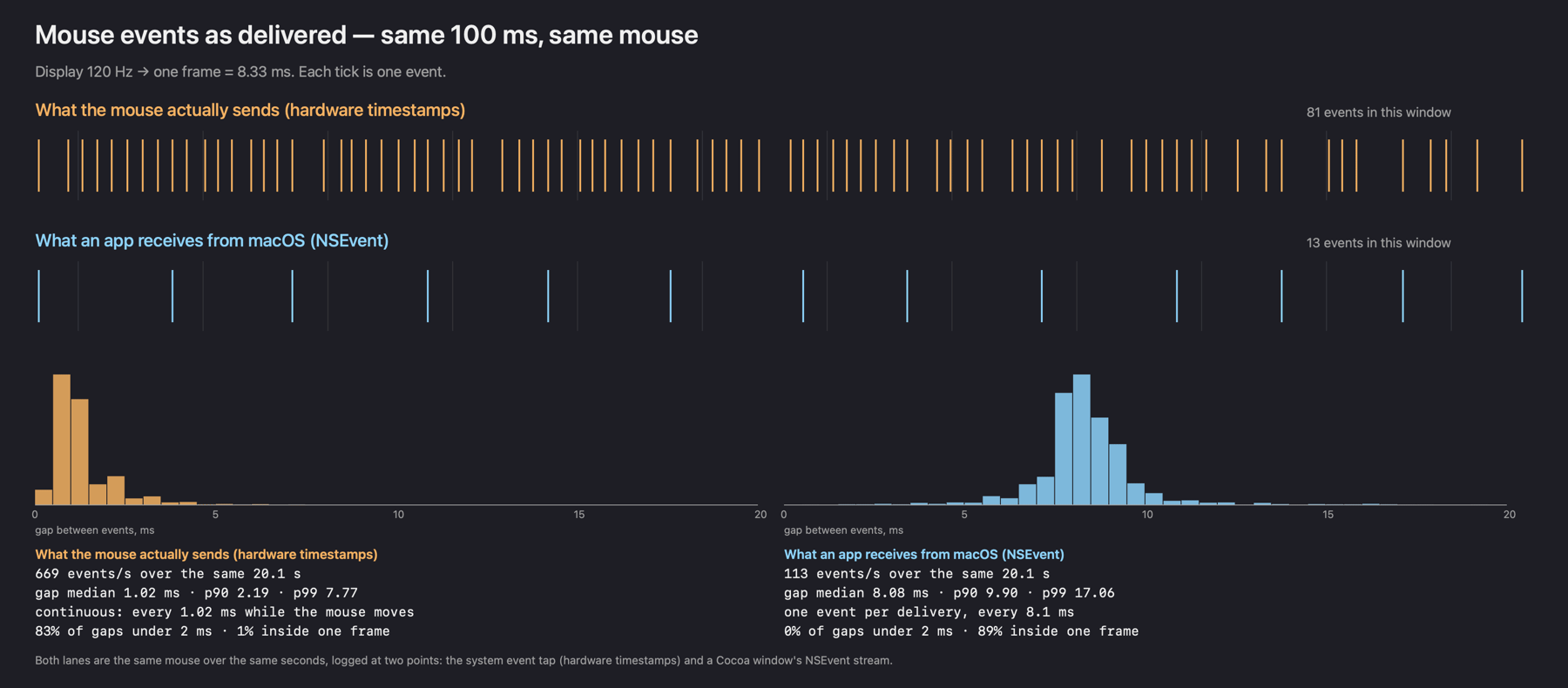
| Mouse: how events reach a program | 25 September 2026; the same 20 seconds of movement logged three ways; Logitech G309 via its receiver at 1000 Hz, macOS 26.6.2, 120 Hz display; in a separate window, not in CS2 | ordinary app (NSEvent): 119 events per second, median gap 8.07 ms; system event tap: 843 per second and 0.99 ms; GCMouse: 844 per second and 0.99 ms |
| Even frames, CS2 as a test bench | 23 September 2026; de_dust2 with bots, on battery, one run each | in 80 mode, 87% of on-screen intervals within ±1 ms of the mean, against 18% at 118 frames per second without it; median from frame start to screen 19.2 ms versus 20.8 ms |
| Assetto Corsa, ultra graphics | 3 October 2026, the owner's measurement, a MacBook Pro with an M3 Pro; only the graphics preset and the average recorded | 53 frames per second on average |
| Assetto Corsa, rain (RainFX) | 27 September 2026, once, via Metal HUD; DXMT, 1512×982 window, high settings without Extra FX, Custom Shaders Patch 0.3, Pure, rain, SRP traffic | about 34 frames per second |
In the CS2 runs on 30 September, two used direct mouse input (147 and 119) and two did not (126 and 102); we draw no conclusion from them about direct input's effect on frame rate. Runs three and four never exceeded 121 frames in a second; runs one and two reached 171. Other CS2 records on the same machine (29 September, Metal HUD 81.5, 82.6 and 91.7 frames per second, spectator view, bots; 24 September, 158 to 175 with no frame cap; 11 September, VProf reports averaging 89.5 to 117.6 with fps_max 120) were taken under their own conditions; all of them, with conditions, are on the CS2 page.
Memory in Assetto Corsa is a separate observation: on 28 September 2026, according to a macOS low-memory report (Jetsam), the game process, after running for about 9 hours, used 13.0 GB of 18. That session's conditions differ from the 34-frame measurement: Extra FX was already on.
macOS hands mouse movement to an ordinary app in batches, once per display frame: 8.33 ms at 120 Hz. An earlier measurement on 22 September 2026 showed the same picture: in 20.1 seconds the system event tap counted 13,452 mouse events while an ordinary app received 2,269, about 669 versus 113 per second. Method and code are on the Why aim feels floaty on a Mac page; the chart of that measurement is a PNG.
What we have not measured
- The effect of reading the mouse directly on aim inside CS2, the latency from movement to frame in the configuration users get, and how it feels. We measured only how events reach a program.
- CS2 on other maps including Mirage, on other Macs (M1, M2, M4, MacBook Air), and DXMT versus D3DMetal on the same scene.
- What Game Mode does for frame rate and how long it holds. On 23 September 2026 the gamepolicyd log showed 'Game mode status is now on' for CS2, then 'paused' about 2.5 s later; the log gives no reason for the pause.
What does not work
- Games with kernel-level anti-cheat. Valorant (Vanguard), Fortnite and Apex Legends (Easy Anti-Cheat), Destiny 2, PUBG and Rainbow Six Siege (BattlEye), plus Call of Duty Modern Warfare II/III, Black Ops 6/7, Vanguard and Warzone (Ricochet). Uncork does not bypass that protection. More on the anti-cheat page.
- CS2 and VAC. Valve gives no guarantees for running through a compatibility layer, and we have not recorded a VAC match; the account-ban risk is the player's. FACEIT, by our reading of the FACEIT Labs documentation, will not work; we have not run it.
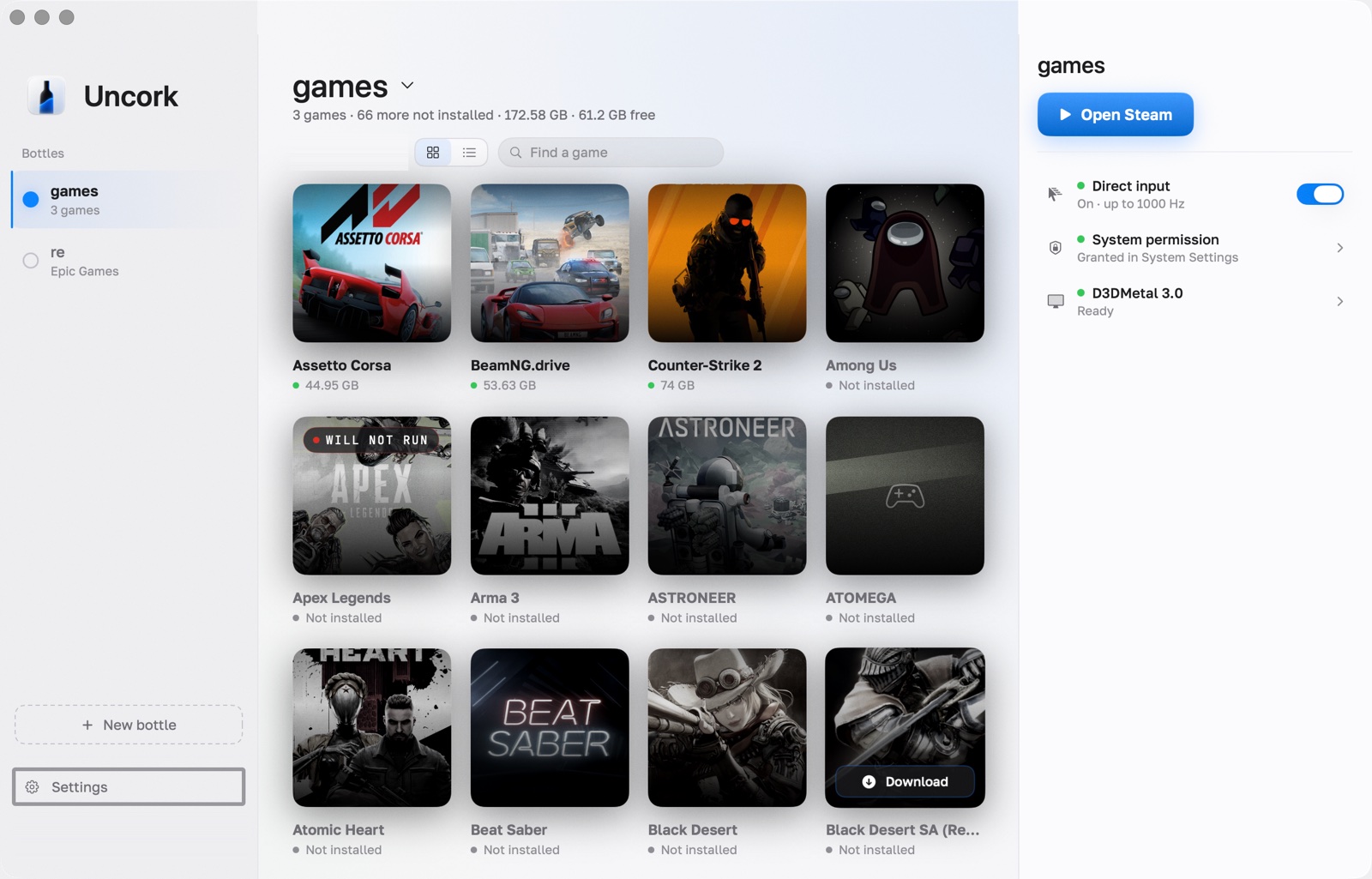
- 14 tested games: Counter-Strike 2, BeamNG.drive, Assetto Corsa, MiSide, Tiny Bunny, Hello Neighbor, Geometry Dash, Half-Life 2, Portal 2, Lethal Company, Stumble Guys, Among Us, Astroneer and Teardown. Frame rates are measured in CS2, BeamNG.drive and Assetto Corsa; most of the others were run only to the menu or the first screen. Tested stores are Steam and the Epic Games Store (for Epic, the store itself, not its whole catalogue); Ubisoft Connect, EA app, Battle.net, GOG Galaxy and Rockstar are untested. A game missing from the list is untested, not broken.
- Signature. Since version 1.0.12 Uncork is signed with Developer ID and notarized by Apple.
- Rosetta, macOS 27 and 28. Uncork runs on top of Rosetta 2. After updating to macOS 27, Rosetta does not come back on its own, and Windows games won't start until it is reinstalled with Apple's command; since 0.16.0 Uncork shows a banner with an Install Rosetta button in that case, but the button has not been tried on a real macOS 27: the reference Mac runs macOS 26.6.2. Per Apple's support article of 21 September 2026 and the macOS 27 release notes, Rosetta as a general tool for Intel apps lasts through macOS 27, and macOS 28 keeps only a subset for older games; a 9 September Apple news post names macOS 26 as the last. This is the project's main risk, and we do not promise macOS 28 support. More on Rosetta.
- Managed Macs. On managed school or work Macs with the macOS 27 MDM App Settings policy, apps signed with an Apple Development certificate get blocked, per Der Flounder's write-up of 24 September 2026. Uncork is signed that way; we have not tested this on a managed Mac.
Price: the free core and Pro
- The core is free: games, Steam and Epic, bottles, repairs and the rest — with no account and no payment. Only Uncork Pro is paid — €19 once, no end date, every 1.x version. The Pro trial lasts seven days, counted from the moment you start the trial in Uncork on this Mac, and there is one trial per Mac. An account is needed only to buy Pro; signing in on this Mac moves the trial days left to it.
- Payment is by Telegram Stars or crypto (USDT, TON, BTC and more) via OxaPay; cards are not accepted yet. One payment, with no auto-renewal. Within the first 14 days after payment you get a refund with no reasons asked, by the same channel. Anyone invited by a friend gets 15 % off Uncork Pro.
- Without Pro, games launch as usual: when the trial ends, only Pro features switch off. The bottle, Steam and the games stay on disk and remain yours: nothing is deleted or locked.
- Pro features work offline for up to seven days (the key has lasted that long since 0.16.2). While the Mac is online, the key renews itself once a day. Games in the free core need no key.
- Pro is tied to one Mac. To move it to another Mac, press “Change Mac” in the profile or write to hello@uncork.win: the binding is released at once (by yourself once every 30 days, more often by hand).
What you need
- Rosetta 2 (without it the app won't create a bottle and offers an install button) and your own Steam account. Uncork never asks for your Steam password or Steam Guard code: you type them only into Steam's own window. You buy the games yourself, and Uncork does not download them outside Steam.
- The runtime plus Steam take about 3 GB (engine 1.1 GB, bottle with Steam 1.7 GB). The graphics libraries, about 250 MB, download once with a checksum check. There is no native macOS version of CS2: in our record of 12 September 2026, Steam listed Windows and Linux and asked for 85 GB, and the installed game took about 74 GB on 1 October.
- D3DMetal is not bundled in the Uncork image. On first setup, at the user's clicks, the app downloads the compatibility layer and graphics libraries from GitHub, from the Sikarugir-App and Gcenx repositories; Apple's graphics libraries only after the user accepts Apple's licence in the app's window. DXMT comes from the DXMT project's releases.
Data and licences
- Without an account, the free core sends the Uncork server only an update check: the app version and a Mac fingerprint (a salted SHA-256 hash of the hardware ID). With Pro, an access token, driver-key requests and the Pro module download are added. Fixes for the same version (1.0.1, 1.0.2…) the app downloads and installs by itself when you quit it — no separate consent, and it can be turned off in settings; versions 1.1 and later are installed with the Update button. It does not send game names, play time, files, Steam passwords or the list of installed apps. The app has no third-party analytics and there are no ads; on the site the service counts only downloads — by day and link tag, with no addresses or fingerprints. The full list of connections is on the What Uncork sends page.
- Uncork's graphics driver is derived from an open compatibility layer under LGPL 2.1. The licence texts and a written offer of the source ship inside the app: Settings → Help → Component licences. The rest of Uncork is closed source.
- Uncork is not affiliated with Valve or Apple.
Review access
Writing a review or an article? The app itself is free, and we will give you Uncork Pro for the review: email hello@uncork.win. Pro lives in an account and is tied to one Mac, so it goes like this:
- Sign in once at uncorkmac.com, with Google or a code sent to your email.
- Send us the address you signed in with: we turn on Pro for that account by hand, with nothing to pay or enter.
- In the app, press Sign in and confirm it in your browser.
If something breaks, Settings → Problem report builds an archive without accounts, secrets or raw logs. It is not sent anywhere by itself; you can forward it to us.
Logo and screenshots
The Uncork mark is a blue bottle. Click a picture to open the full file.
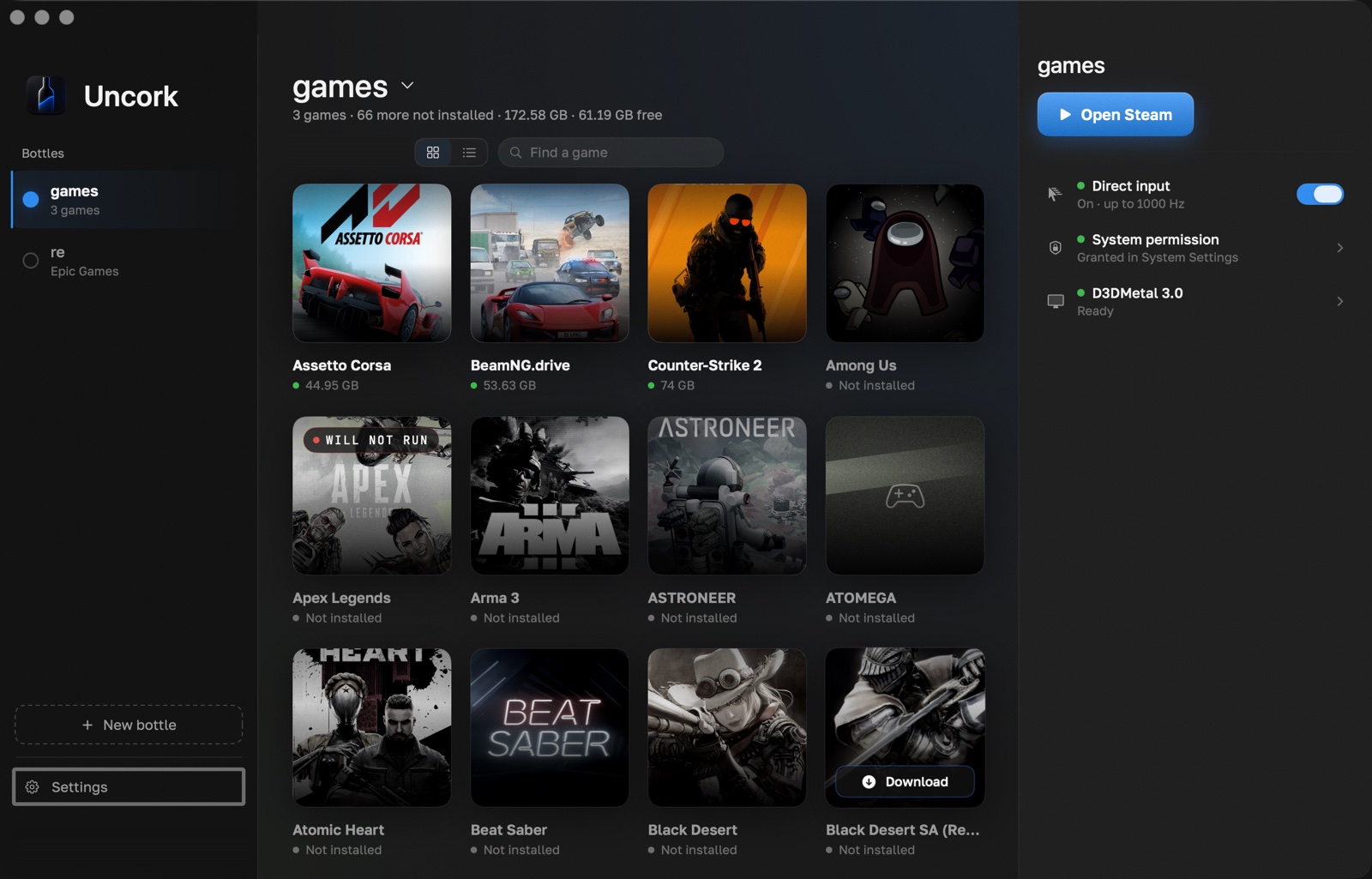
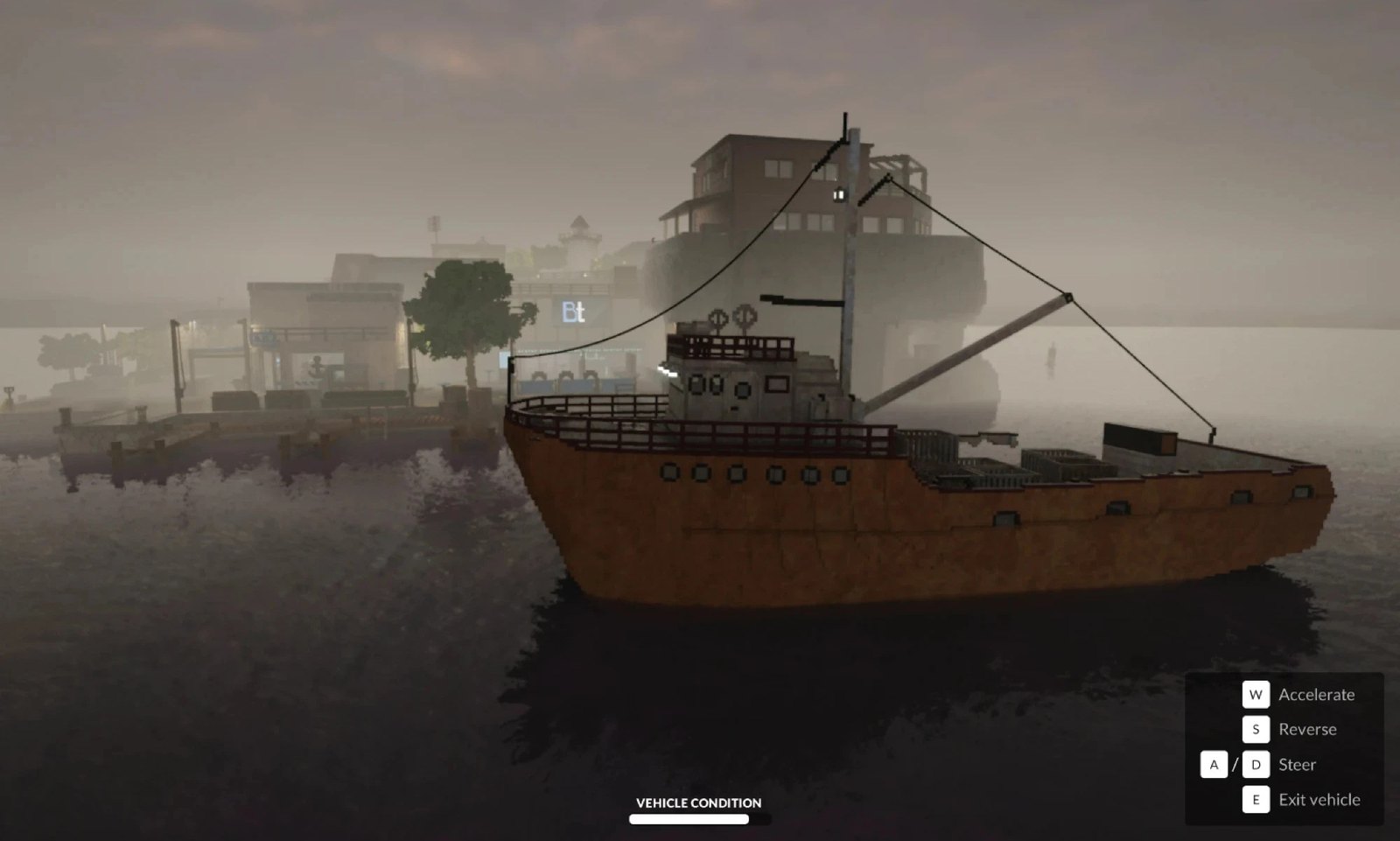
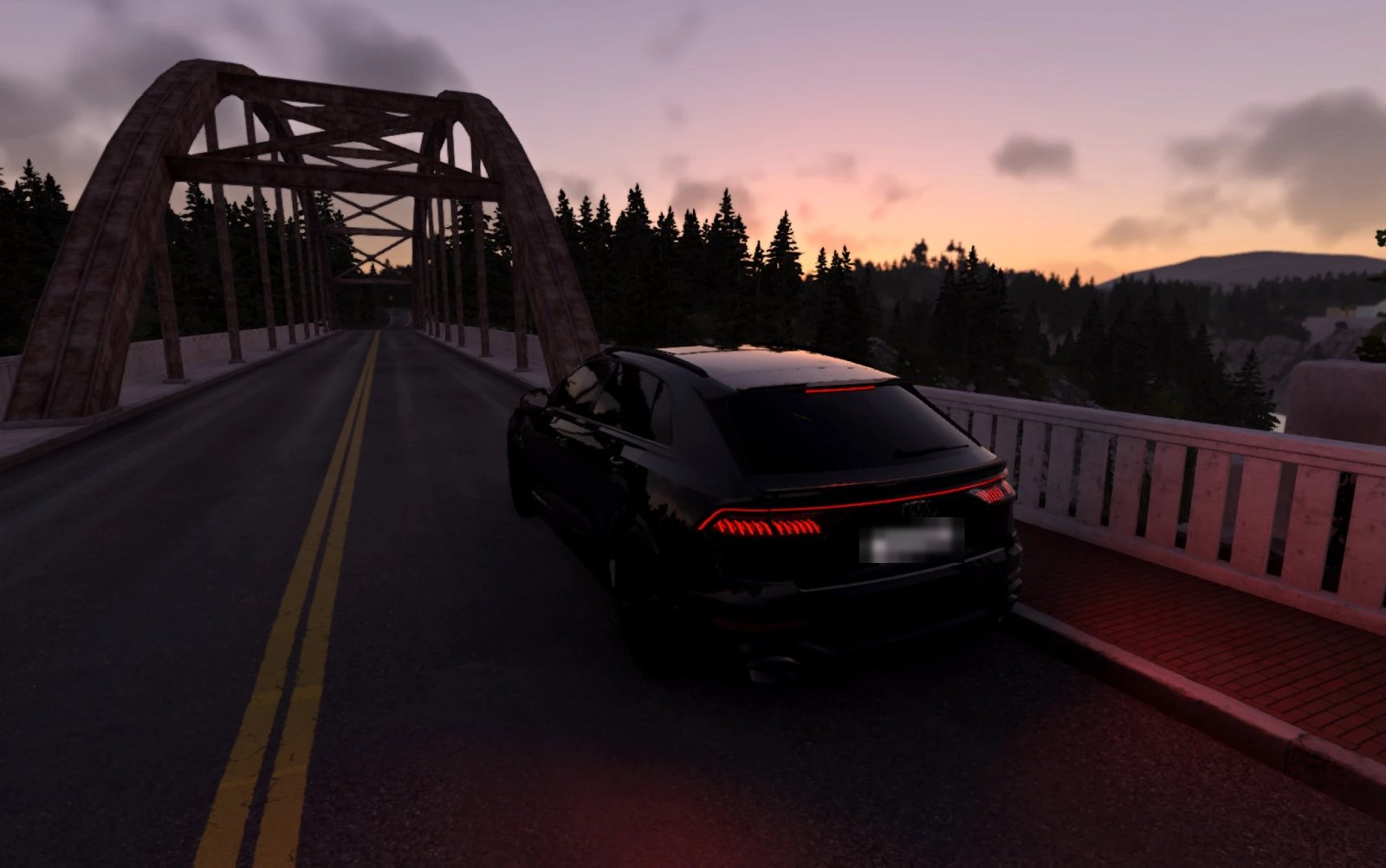
Contacts
- Email: hello@uncork.win, answered by a person.
- Telegram: @uncorkwin, which is support, not a news channel.
- Site: uncorkmac.com; version history is in the changelog.
Read next
- How to play CS2 on a Mac: M3 Pro frame rates, mouse, VAC, FACEIT — every way in short, records with dates and conditions, and what does not work
- Why aim feels floaty on a Mac — measurements and code: macOS delivers the mouse once per display frame
- What Uncork sends from your Mac, and where — the list of what the app sends and where, and how to check it yourself